

Corporate Plus Pro: Make Your Own Skill Section
Make Skill section with Corporate Plus Pro.
Corporate Plus Pro theme is specially designed for corporate houses, business, freelancer, eStore etc. If the Corporate houses, business company and freelancers if want to add their own skills on-site front page as our demo, it is a simple process. You can make your own skill section on your site with few clicks. Please follow the below steps to know how to make it:
- Create a parent page (Example “Skills”)
Create others child pages and make the “Skills” page as the parent. Read here to know about create Sub/Child Pages
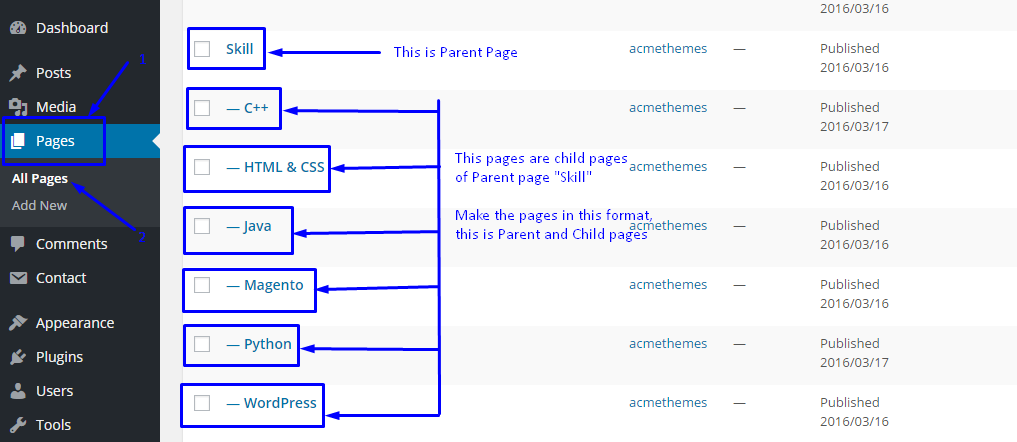
Please see the screenshot and this procedure while creating subpages.
First,
- Go to Admin Menu
- Go to Appearance > Customize > Pages > Add New
- Give the Title of the page and enter the skill percentage (In Number )
- Set this page as Child Pages of Parent page Skills
- Click on publish button
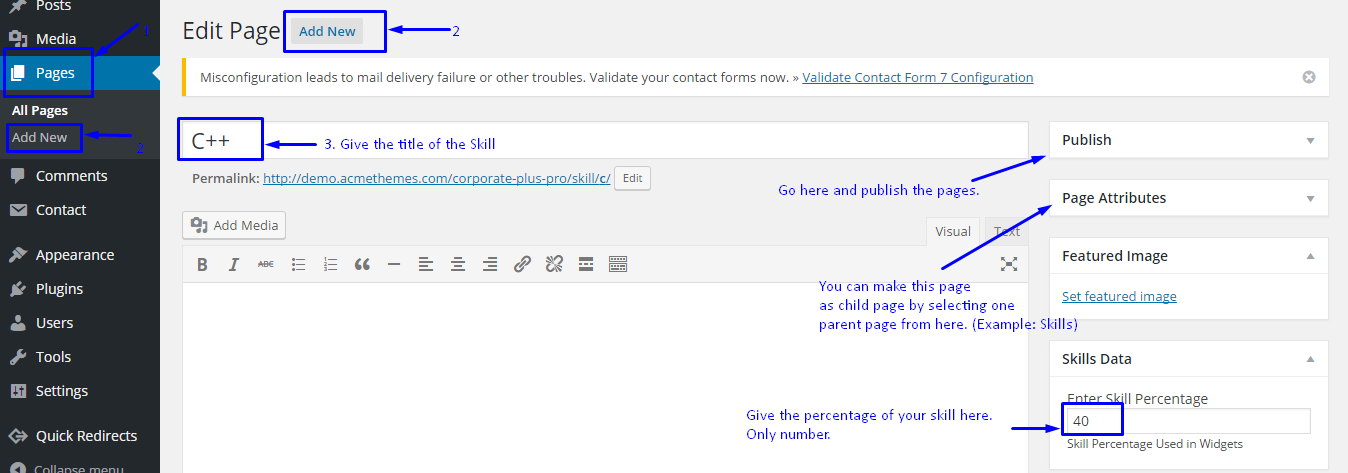
After creating pages, you have to add that pages on AT Skills Section Widgets.
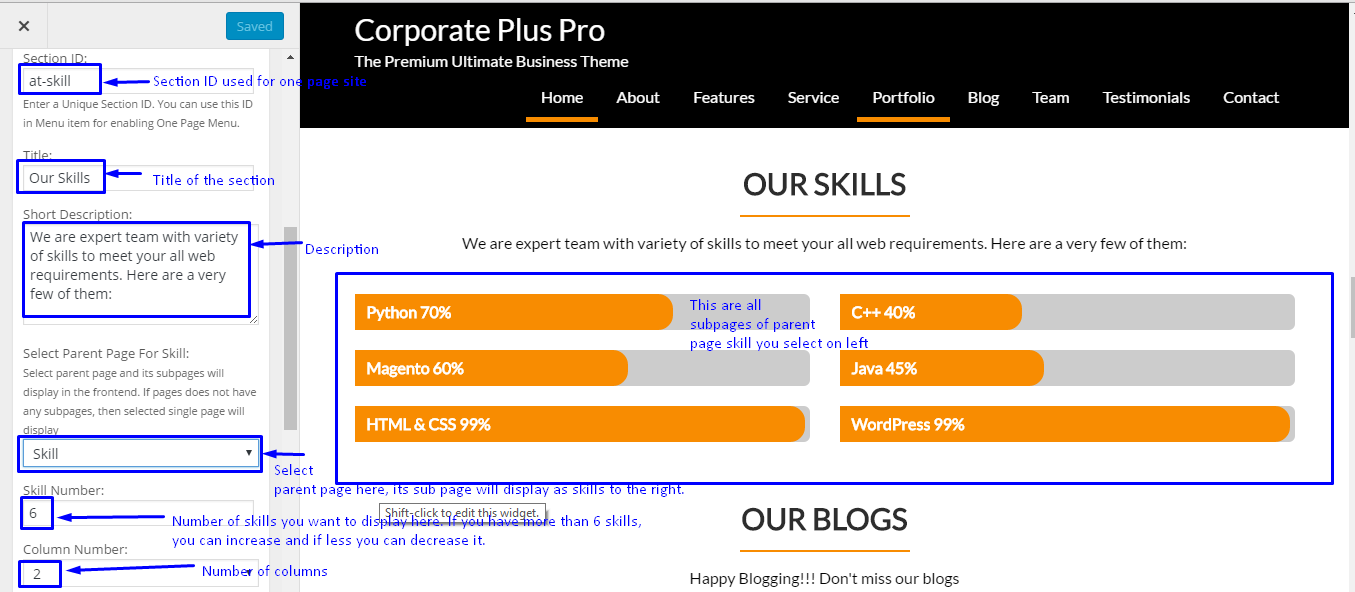
Go to Appearance > Customize > Widgets > Home Main Content Area
Add Widget AT Skills Section and select the Parent Page(Skills) and its child pages will appear as skills. Please see the screenshot below which help you to set the available options.
Hope, this article is helpful to make your own skill on your site. You can use the available other options for other widgets.
Is this article helpful? Please post your comment below.
Last updated for 2026. This article is reviewed annually to keep the information accurate and current. For the most up-to-date WordPress guidance, bookmark this page or subscribe to our newsletter.
Wrapping Up
This guide covered the essentials of Corporate Plus Pro: Make Your Own Skill Section. For ongoing coverage and the latest corporate plus pro: make your own skill section tips, subscribe to the Acme Themes newsletter or follow us on social media. Have a specific question about corporate plus pro: make your own skill section? Drop a comment below — our team reads and responds to every query within 48 hours.
Last updated: June 2026. Reviewed for accuracy against WordPress 6.5+ core.