
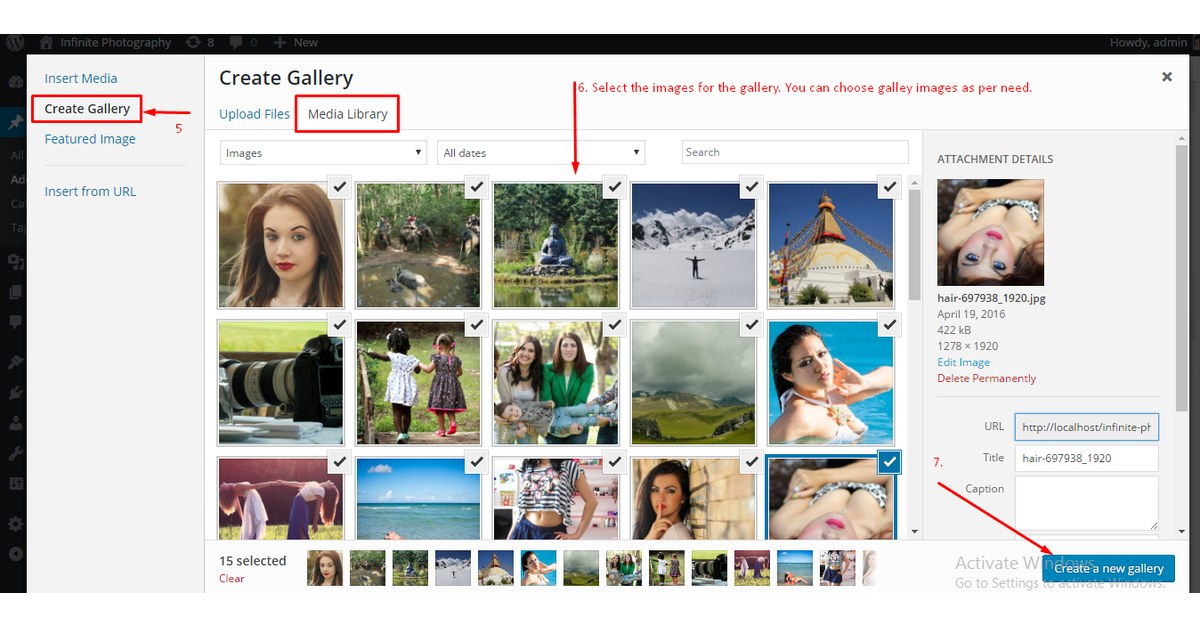
How To Make Image Gallery on Page/Post
Do you want to make the gallery on the Page/Post of your site?
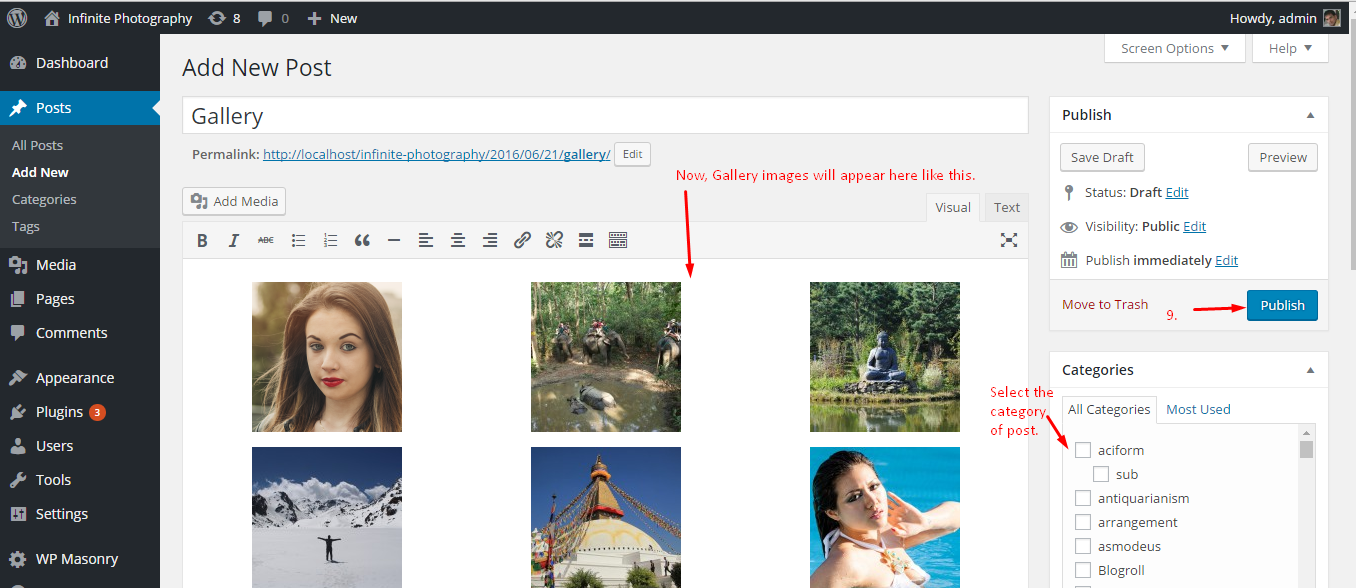
WordPress has its own gallery features, you can easily implement on your site page and post. Please follow the below steps to make the gallery.
1. Go to Page/Post
2. Add New Page/Post
3. Give the title of the Page/Post (Example: Gallery)
4. Insert the Media(Images) to the gallery.
First Step:
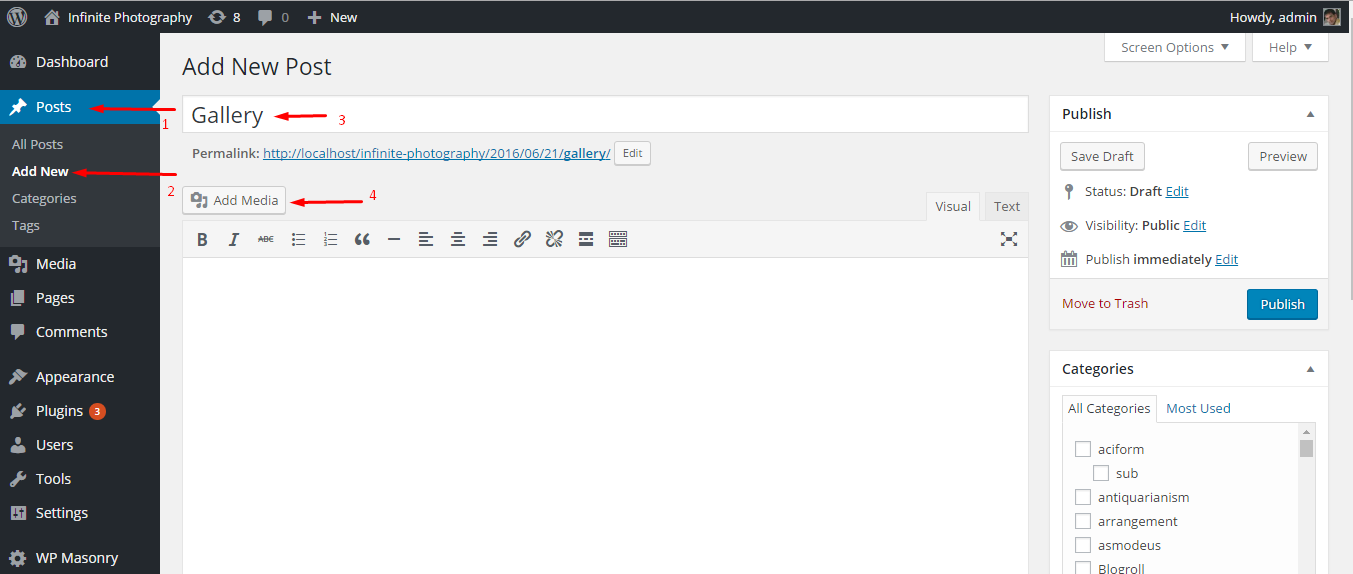
Second Step:
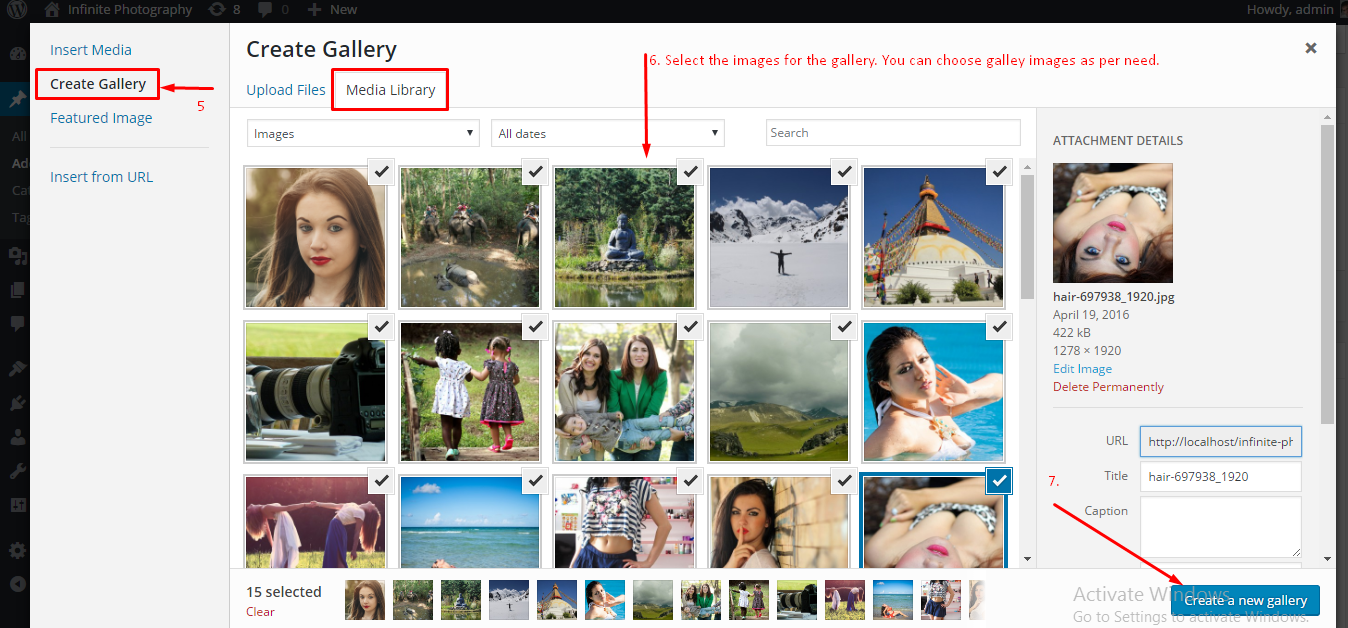
Third Step:
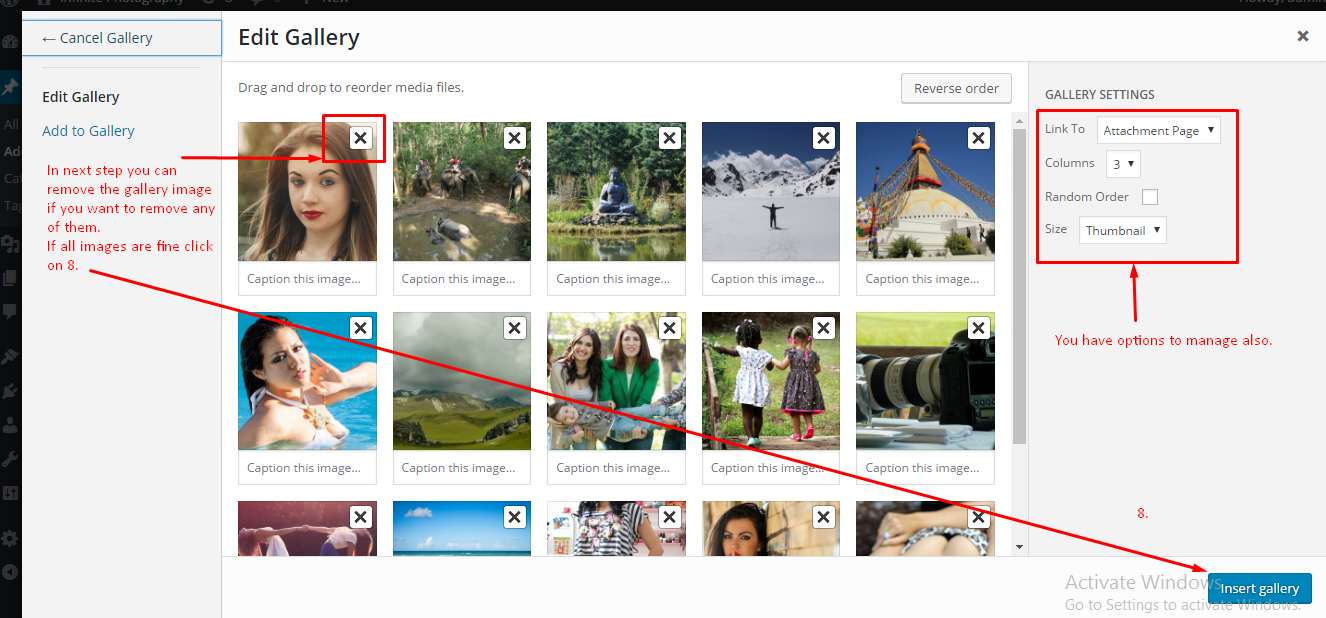
Fourth Step:
If you still have the confusion, please post your query on the support forum. http://www.acmethemes.com/supports/
Please share your thoughts in the comment section below:
Last updated for 2026. This article is reviewed annually to keep the information accurate and current. For the most up-to-date WordPress guidance, bookmark this page or subscribe to our newsletter.
Wrapping Up
This guide covered the essentials of Make Image Gallery on Page/Post. For ongoing coverage and the latest make image gallery on page/post tips, subscribe to the Acme Themes newsletter or follow us on social media. Have a specific question about make image gallery on page/post? Drop a comment below — our team reads and responds to every query within 48 hours.
Last updated: June 2026. Reviewed for accuracy against WordPress 6.5+ core.